The Dollar General app is the free shopping app that holds the store’s digital coupons, cash back offers and weekly ad in one place and it is the single biggest way to save money at Dollar General. More than 20 million shoppers use it and it carries a rating of about 4.7 stars from hundreds of thousands of reviews. This guide covers how to download what each feature does and how to actually use the coupons and DG Cash Back to pay less at the register.
| Quick answer | |
| What it is | Dollar General’s free coupon, rewards app |
| Also called | The DG app |
| Where to get it | Apple App Store and Google Play |
| Cost | Free |
| Account needed | A free myDG account, linked to your phone number |
| Main savings | Digital coupons, DG Cash Back, weekly ad |
| Works at | Almost all Dollar General stores in the US |
How to Download the Dollar General App
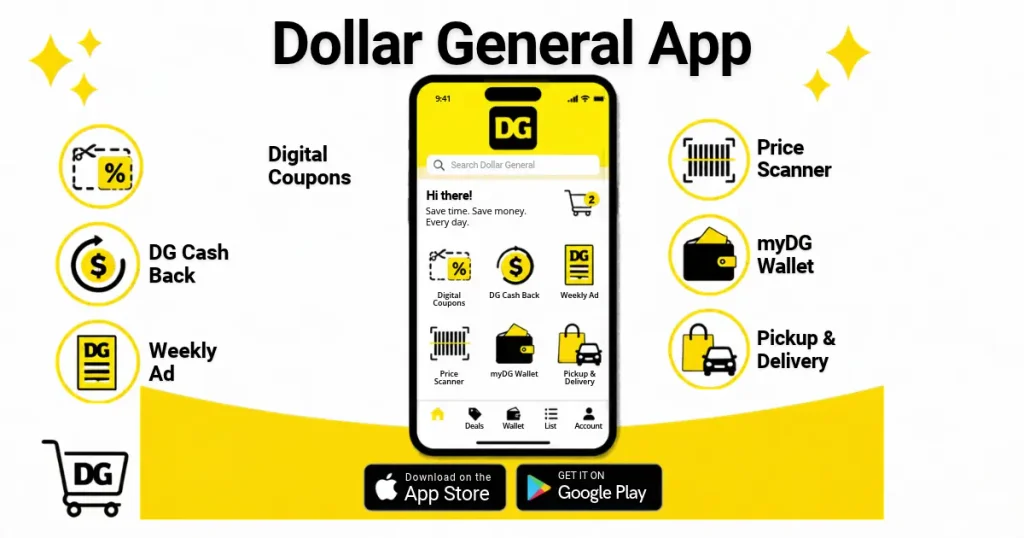
The Dollar General app is free to download on both iPhone and Android devices. Use the following table to find the app and install it safely.
| Download Detail | iPhone (iOS) | Android |
| App Name | Dollar General | Dollar General |
| Download Store | Apple App Store | Google Play Store |
| Developer | Dolgencorp, LLC | Dolgencorp, LLC |
| App Cost | Free | Free |
| App Size | Varies by device | 88 MB |
| Installation | Tap Get or Install | Tap Install |
How to Install the Dollar General App:
- Open the Apple App Store or Google Play Store on your phone.
- Search for “Dollar General.”
- Check that the developer is listed as Dolgencorp, LLC.
- Tap Install or Get to download the app.
- Open the app and sign in or create a free myDG account using your phone number.
Note: The DG app and Dollar General app refer to the same shopping app. You do not need to download two separate apps.
What Is myDG?
Before the features make sense, you need to know about myDG. It is Dollar General’s free rewards program, and it is the account that ties everything together. Your clipped coupons, your DG Cash Back, your saved deals and your member offers all live in your myDG account and that account is linked to your phone number.
This matters at checkout. You do not need to open the app at the register. You just type the phone number on your myDG account into the keypad, and your clipped coupons apply to your order.
Dollar General App Features
The app does more than hold coupons. Here is what each part does.
Digital Coupons
This is the core of the app. Dollar General posts hundreds of digital coupons every week on items you already buy. You clip the ones you want in the app and they come off your total at checkout. There are two kinds: Dollar General’s own store coupons and manufacturer coupons. You can use one store coupon and one manufacturer coupon on the same item which is how shoppers stack savings.
DG Cash Back
DG Cash Back is the newer rewards side of myDG, and it works like Ibotta or Rakuten. You clip cash back offers in the app before you shop. After you buy those items, the cash is added to your DG Cash balance instead of coming off at the register. You then spend that balance on a future trip by scanning the barcode in your app’s wallet.
One rule to remember: if you clip both a digital coupon and a cash back offer on the same item, the coupon applies at checkout and you will not earn the cash back on that item. So it is one or the other per item.
myDG Wallet
The Wallet is where your savings sit. It holds your clipped coupons, your cash back offers, your DG Cash balance and your myDG ID. From here you can filter and search what you have clipped, and scan your DG Cash to spend it in store.
Cart Calculator
The Cart Calculator is a built-in budgeting tool. As you shop, you add items and it keeps a running total, so you can stay under your budget before you reach the register. It is handy for spend-and-save coupons too, because it helps you hit a target like $25 without going over.
Weekly Ad
The app shows your store’s weekly ad, so you can see what is on sale and plan your trip before you leave home. For the full list of this week’s deals, see our Dollar General weekly ad page.
Shopping List
You can keep a checklist in the app and add coupons to your myDG Wallet straight from the list so your savings are ready before you shop.
Store Price Scanner
The app has a barcode scanner that checks an item’s price at your selected store. This is the tool penny shoppers use to find penny items before the register, and it is why setting the right store in the app matters. To change your store, open the app settings and select the location you are shopping at, because prices and coupons are local. For more on scanning for one cent deals see our Dollar General penny list guide.
Delivery and Pickup
You can also shop in the app for pickup or same day delivery. Dollar General offers delivery in under an hour in eligible areas, and it recently added free delivery on myDG Delivery orders for members. Fees can apply for faster service so check the terms before you order.
How to Use Digital Coupons at Dollar General
Here is the whole flow, start to finish.
- Download the app and sign in.
- Set your store.
- Clip your coupons.
- Add cash back offers.
- Shop and use the Cart Calculator to track your total.
- At checkout, enter your phone number on the keypad.
- Scan your DG Cash from the Wallet if you want to spend your balance.
Is the Dollar General App Safe and Free?
Yes on both. The app is completely free to download and use, with no subscription or hidden fees. It uses standard encryption to protect your account and purchases.
One point of confusion worth clearing up: the Dollar General app is a shopping and coupon app. It is not a bank and Dollar General does not run a “DG bank” app even though stores sometimes advertise prepaid cards and other financial services near the registers. DG Cash is store credit you earn through the app, not a bank account.
Dollar General App Not Working (Common Fixes)
Few issues come up often in reviews. Most are quick to fix.
- Coupon did not apply: make sure you clipped it before checkout and that you entered the phone number linked to your myDG account.
- Can’t log in: confirm your phone number and password. Update the app to the newest version, since older versions can have login bugs.
- Wrong prices: set the app to the exact store you are shopping at because prices and coupons are local.
- Cash back not tracking: check that you did not also clip a coupon on the same item which cancels the cash back.
FAQs
What is the Dollar General app?
It is Dollar General’s free app for digital coupons, DG Cash Back rewards, the weekly ad, a cart calculator and a price scanner. It is also called the DG app.
Is the Dollar General app free?
Yes. It is free to download and use on iPhone and Android, with no subscription.
How do I use digital coupons on the Dollar General app?
Clip the coupons you want in the app before you shop, then enter the phone number linked to your myDG account at checkout. The coupons apply automatically.
What is DG Cash Back?
A rewards program inside myDG. You clip cash back offers, buy the items, and the cash goes to your DG Cash balance to spend on a later trip.
Can I use EBT or food stamps on the Dollar General app?
EBT is accepted in stores on eligible items, and payment options for pickup and delivery can differ by store and order type. Check there before you order online.
Does the app work at every Dollar General?
It works at almost all US Dollar General stores. Prices and inventory are tied to the store you select in the app.
Final Thoughts
The Dollar General app is the easiest way to cut your bill at the register, and it costs nothing. Set up a free myDG account, clip the digital coupons and cash back offers you will actually use and enter your phone number at checkout. Add the Cart Calculator to stay on budget and the weekly ad to plan ahead, and the small savings add up on every trip.
1 thought on “Dollar General App | Features, Digital Coupons and How to Save”