DG Me login is how Dollar General employees sign in to view their work schedules, tax forms, benefits and pay online. DG Me, often written as DGME stands for Dollar General Me, the company’s employee self service portal and sign in. This guide explains where to log in, how to reset your password, how to check your schedule and what to do when the login will not work. We are an independent guide so every step points you to Dollar General’s own official pages, never to a copy.
Only enter your Login ID, password or any personal details on Dollar General’s own site . This page is a guide and never asks you to log in here.
What Is DGME?
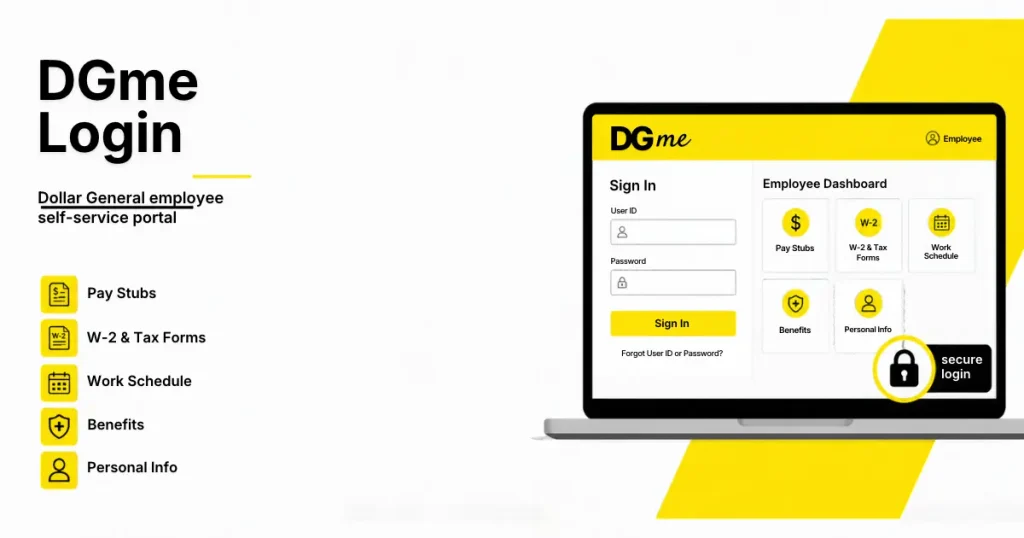
DG Me is short for Dollar General Me and it is often written as DGME. It is the official employee portal where Dollar General associates manage their work life and it is the same thing people mean by the Dollar General employee login, portal or sign in. Once you log in, you can:
- View and print your pay stubs
- Access your W-2 and other tax documents
- Check your work schedule
- See your benefits information
- Update personal account details
Every current Dollar General employee gets access, and former employees can usually still sign in for a while to pull past tax documents. The portal is tied to your Employee ID, the number on your badge.
How to Log In to DG Me
The login is quick once your account is set up. Always start from Dollar General’s own site so you know you are on the real portal.
- Go to the official employee portal through DollarGeneral.com.
- On the Employee Login screen, enter your Login ID.
- Enter your Initials and password.
- Click Login.
If you do not know your Login ID, the login page has an Employee ID lookup link that helps you find it. If your store uses a DG Work Account, use the Login with DG Work Account button on the same page instead.
How to Register for DGME?
If you are a new hire or first time using a portal, you need to set up your account before you can log in.
- Open the official DGME login page.
- Click First Time User or Register.
- Enter your Employee ID and the verifying details the page asks for.
- Create a password that meets the security rules.
- Set up your security questions so you can recover the account later.
If the page asks you to confirm your identity, do it on the official Dollar General page.
How to Reset Your DGME Password
Forgetting passwords is the most common problem and it is a quick fix.
- On the official login page, click Forgot Password.
- Verify your identity with your Login ID and the details the page requests.
- Follow the prompt, which may send a code to your registered email.
- Create a new password and sign in.
If you cannot remember your Login ID either, use the Employee ID lookup link on the login page, or ask your store manager, since your ID is on your pay stub and badge.
Where to Find Your Pay Stub
Your pay stub lives inside the portal. After you log in, open the section named Pay, Pay Stubs or Payroll to view or print it. Dollar General generally pays every two weeks. For the full walkthrough, including former employee access and tax forms, see our Dollar General pay stub guide.
How to Check Your Work Schedule (Legion)
Dollar General uses a workforce system called Legion to build and share store schedules. Depending on your store, you may view your schedule inside the employee portal or through the Legion app.
- Sign in with your Dollar General credentials to see your upcoming shifts.
- You can usually request time off and see shift changes there too.
- If the Legion app will not log you in, update the app and confirm you are using your current Dollar General ID and password.
The DGME App
There is a mobile version of the employee portal for Android and iPhone so you can check pay and schedules from your phone. Download it from the Google Play Store or the Apple App Store, then sign in with the same Employee ID and password you use on the website. If the app will not load or sign you in, update it to the latest version first.
DGME Login Not Working?
Most login problems have a simple cause.
| Problem | What to do |
| Forgot password | Click Forgot Password and verify your identity |
| Account locked | Wait a short while and try again, or contact HR |
| Invalid Employee ID | Check your badge or pay stub, or ask your manager |
| Page will not load | Try again later, clear your browser cache, or use another browser |
| App will not sign in | Update the app, then re-enter your current ID and password |
| Former employee locked out | Call Dollar General Payroll at 1-877-463-1553 |
Other Dollar General Employee Logins
The portal connects to a few other systems you may hear about:
- Benefits: Your health, 401(k) and other benefits are managed through Dollar General’s benefits site, reachable from the portal.
- Workvivo: Some associates use Workvivo as an internal communication and resource app.
- Money Network: If you are paid through a Money Network pay card, that account is separate from DGME and has its own login.
Each of these has its own official sign in. Reach them through links inside the DGME portal or Dollar General’s site.
Also Read: Dollar General Careers – Jobs, How to Apply
Frequently Asked Questions
What is DGME login?
It is how Dollar General employees sign in to the Dollar General Me portal to view schedules, pay, tax forms and benefits. DGME and DG Me are the same thing.
What is the Dollar General employee login or portal?
It is the DGME portal. “Dollar General employee login,” “employee portal” and “DG sign in” all point to the same place, reached from DollarGeneral.com.
How do I log in to DG Me?
Open the official portal at websso.dolgen.net, then enter your Login ID, your initials and your password.
How do I reset my DG Me password?
Click Forgot Password on the login page and verify your identity with your Login ID and the details requested.
Can former employees log in to DGME?
Usually yes, for a period, to get past pay stubs and tax forms. If you cannot, call Payroll at 1-877-463-1553.
Is there a DGME app?
Yes. Download the employee portal app from Google Play or the App Store and sign in with your Employee ID and password.
Where do I get my W-2 from Dollar General?
Log in to DGME portal and open the tax documents section. Former employees can contact Payroll for help.
Final Thoughts
DG Me login is the one place Dollar General employees go for schedules, tax forms, benefits and pay. Sign in with your Login ID, initials and password at the official portal use Forgot Password if you get stuck, and call Payroll at 1-877-463-1553 if you are a former employee who cannot get in. The most important rule is to only ever enter your details on the official portal, never on a look alike site.
This is an independent informational guide for Dollar General employees. Portal names, links and steps can change, so always start from DollarGeneral.com and confirm details there.